Short answer: Start by naming the board type: dry, connected, monotone, paired or dynamic. Then check which range hits more strong hands and draws, and use that to choose pressure, check or protection.
What is board texture?
Board texture describes how community cards interact with player ranges. A board can be dry, connected, monotone, paired, high, low or highly dynamic.
For example, K72 rainbow creates few draws, while JT9 with a flush draw strengthens connected hands and makes future cards very important.
Why texture changes decisions
The same range performs differently on different boards. The preflop aggressor often retains a range advantage on high, dry boards, while low, connected boards may favor the caller.
Texture changes c-bet, check, raise, sizing and defense frequencies. When both ranges contain many draws and strong made hands, the equity of your exact hand tells only part of the story.
- Dry boards usually create fewer draws.
- Connected boards strengthen straight draws and two pair.
- Monotone boards change blocker value.
- Paired boards affect nut advantage.
How LOQER helps read boards
The LOQER board profile highlights key flop properties: high cards, connectivity, pairs, draws and categories. It keeps the structure visible while you review.
Then compare range equity and see which player has more combinations of strong hands.
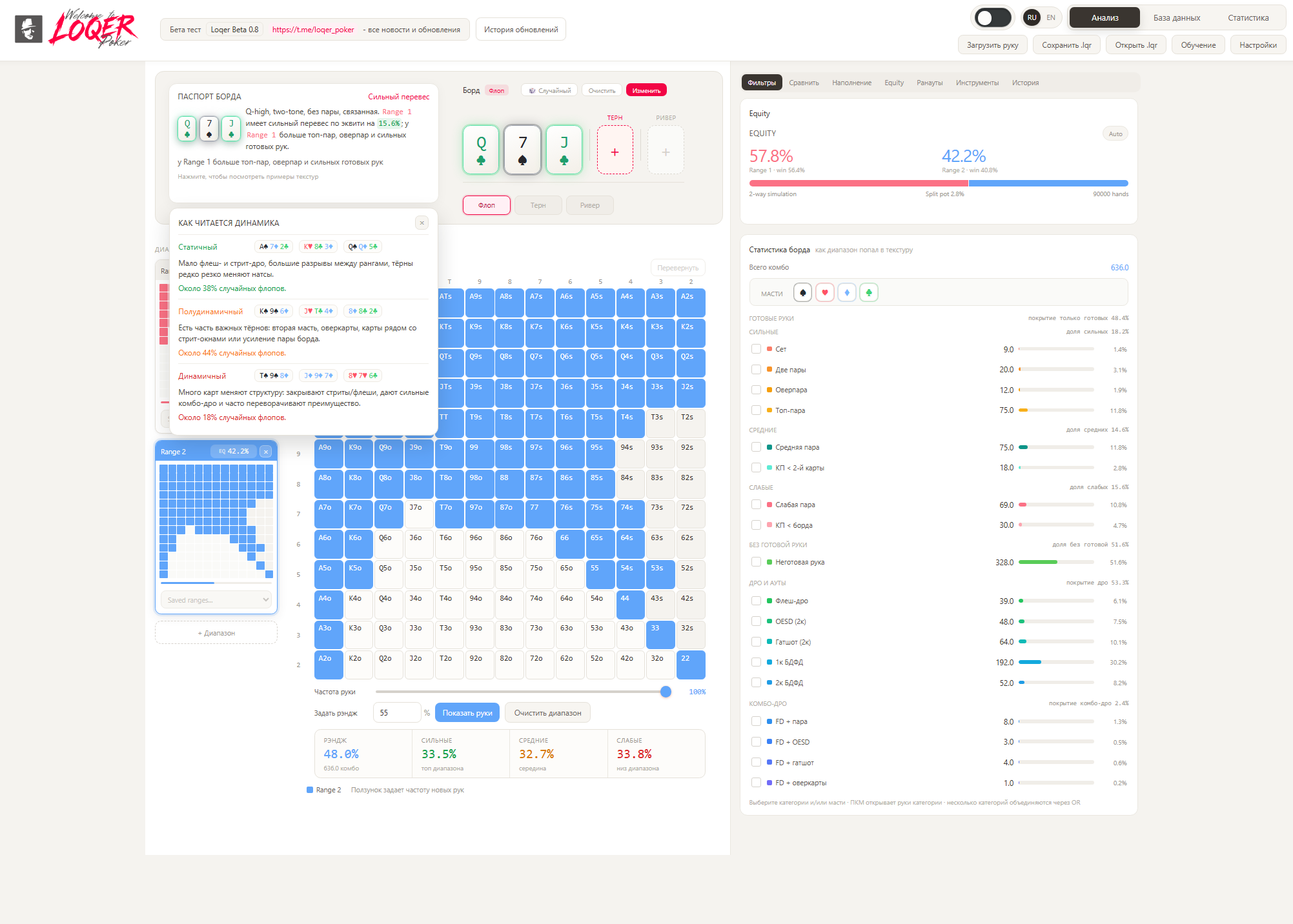
Review the ranges, board and betting action together, so you can judge each decision in context.
What is a dry board?
A board with few draws and fewer dramatic turn changes, for example K72 rainbow.
What is a connected board?
A board with ranks close enough to create several straight possibilities, such as J-T-9. If two cards share a suit, flush draws add another layer of complexity.
Why use a board profile?
It highlights board properties quickly and connects texture to ranges and equity.