

What can your opponent have
on this flop?
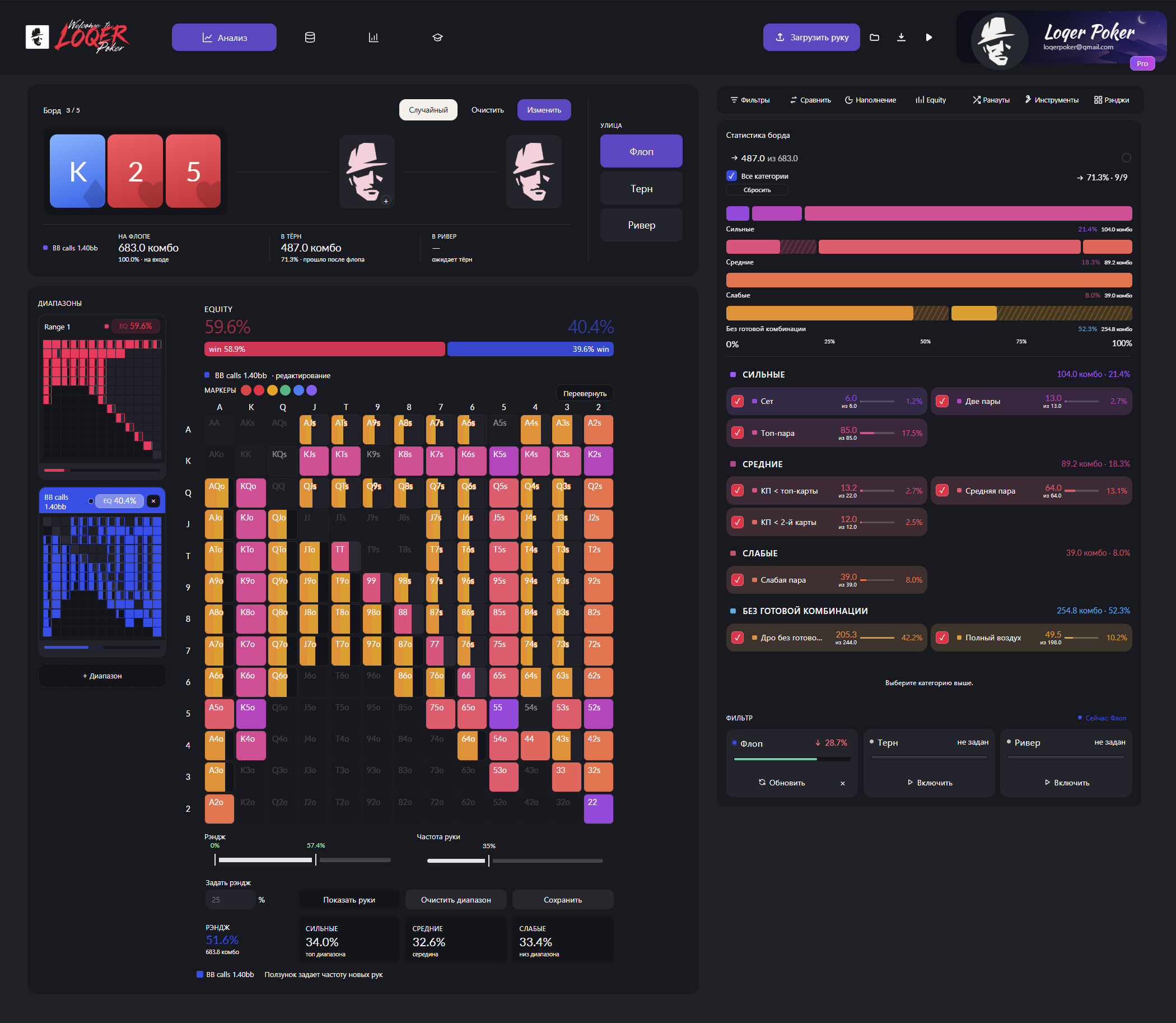
Enter your range and your opponent’s. LOQER shows equity, pairs, sets and draws. Remove the hands you think your opponent would not play, then compare the results.
Explore analysis
Take another look at a hand with LOQER. Set the ranges each player could have, compare their equity and see what changes as new board cards come down.
See how it works01 / INSIDE THE APP
Compare ranges on a board, narrow down your opponent’s hands or open a saved solution. Explore the tabs below to see each tool in action.
RANGE VS RANGE
Set two players’ ranges and the board cards. Compare their equity and see how many made hands and draws each range contains.
01 / 06Scenes from the LOQER interface
02 / FROM QUESTION TO REVIEW
Which hands could your opponent continue with? Who does the turn help? How does a saved solution play this hand? Here are a few ways to explore those questions.

Enter your range and your opponent’s. LOQER shows equity, pairs, sets and draws. Remove the hands you think your opponent would not play, then compare the results.
Explore analysis
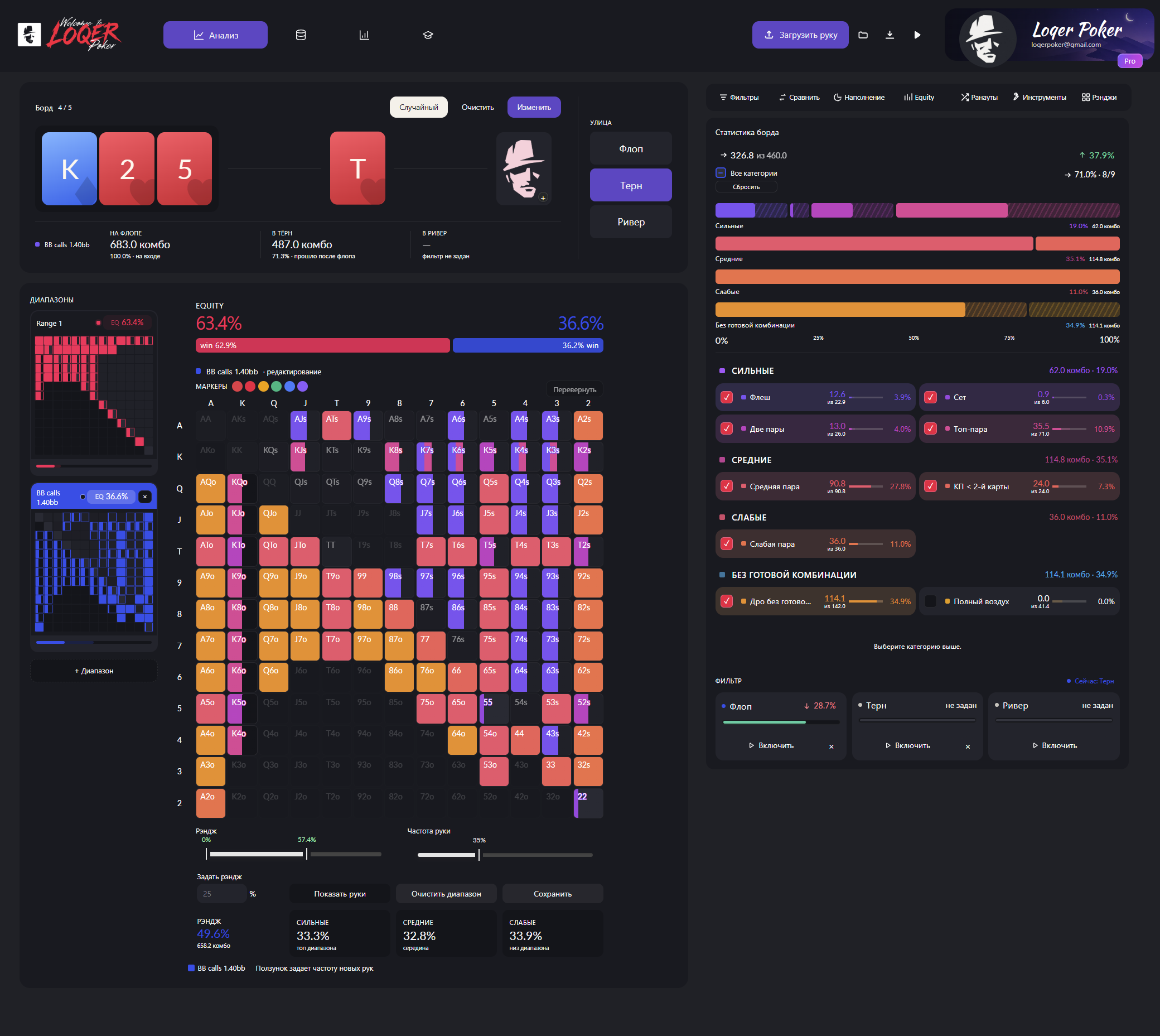
Keep the hands each player continued with on the flop, then add the turn. See whose draws came in, which pairs improved and how the remaining ranges’ equity changed.
Explore the details
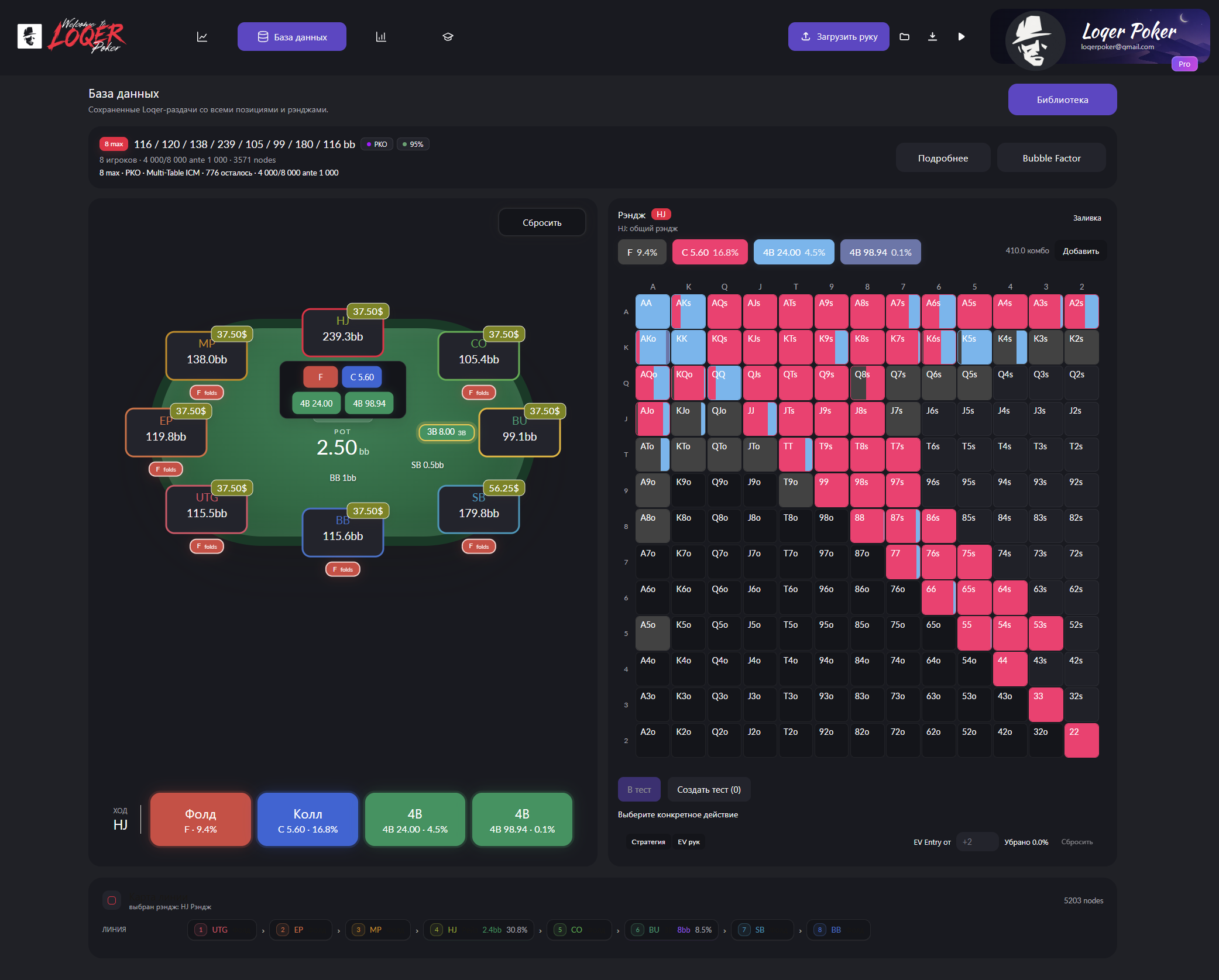
Find a solution with the stack sizes and tournament format you need. Follow the players’ actions, explore their ranges and hover over a hand to see its action frequencies and EV.
Explore the database
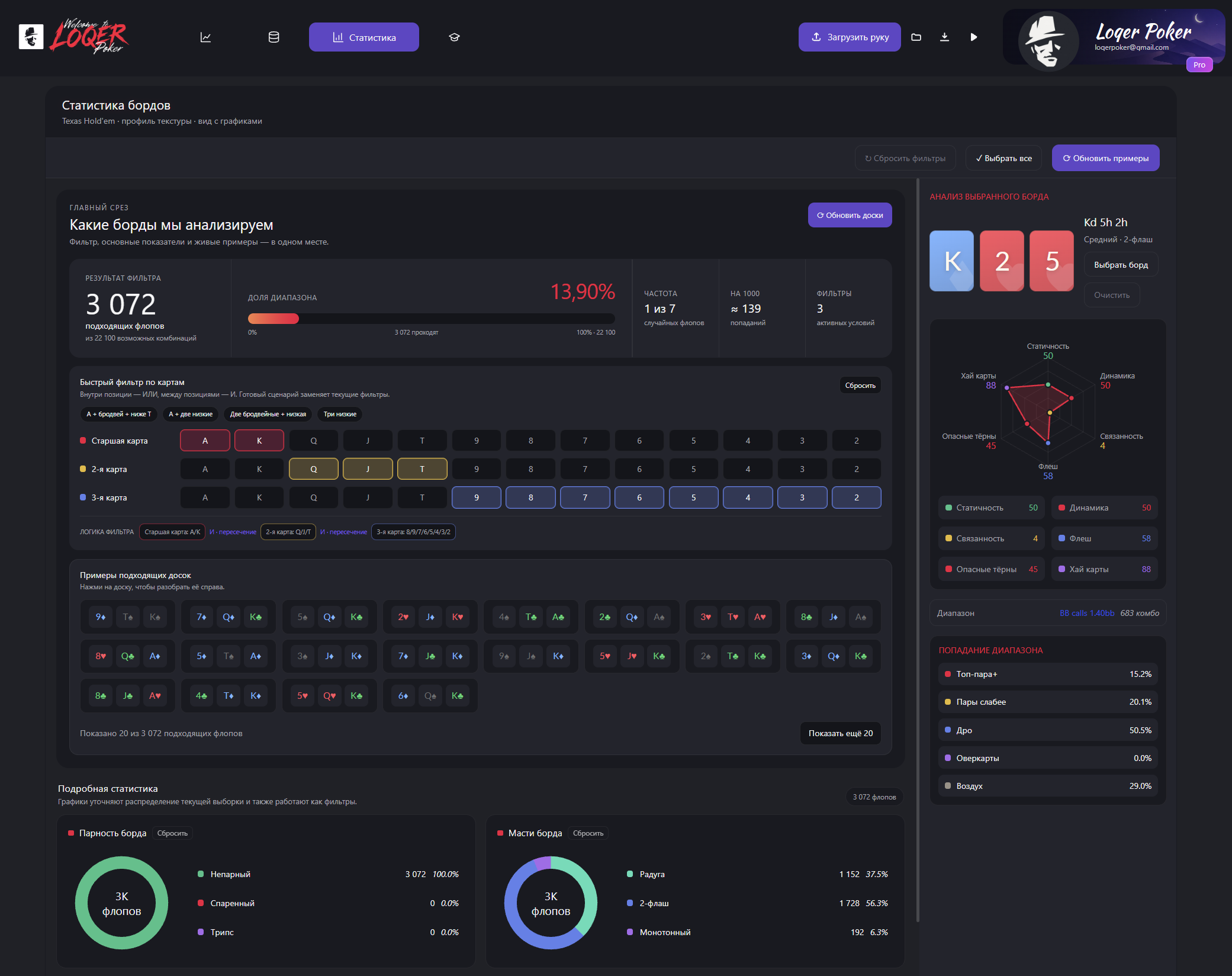
Filter by cards, suits or whether the board is paired. See how many flops match and how often they occur. Open an example to see how your range connects with it.
Explore statisticsIn ICM solutions, you can check Bubble Factor to see how tournament risk affects each player’s decisions.
Read about Bubble Factor03 / GETTING STARTED
Pick a hand where you were unsure of your decision. Start with one question: for example, which hands could your opponent call your bet with?
Enter the board cards and the hands each player could have reached this street with. To study a saved solution, open it from the library.
Which hands could each player have?Look at equity and hand categories. Then adjust your opponent’s range or add the next card to test your assumption.
What if your opponent plays differently?Notice which hands and cards made the biggest difference. That gives you something concrete to look for the next time you face a similar spot.
What will you look for next time?Try it with a hand from your own session.
Review a hand04 / WHO IT’S FOR
Instead of guessing one exact hand, give your opponent a range of possible hands. See how your hand fares against them on different boards.
Come back to difficult hands after a session. Compare different range assumptions and study saved solutions with relevant stacks and positions.
Show which hands you keep in an opponent’s range and why. Change the range or a board card so your student can see the effect on equity and hand composition.
05 / BETA ACCESS
LOQER is currently in closed beta. It’s free to join: message us on Telegram for access. If something feels awkward or does not work as expected, let us know. Your feedback helps us improve it.
Message us on Telegram LOQER Beta 0.8 · browser-based · free beta06 / POKER GUIDES
What is a range? How do you read equity? Why does board texture matter? Our guides explain these ideas. Start with the topic you want to understand better.
Read the hand matrix, count combinations and account for frequencies.
Read the guide ↗ EQUITYCompare a hand against a range and learn how equity differs from EV.
Read the guide ↗ THE BOARDWhy a range connects with some boards more often than others.
Read the guide ↗Review hands after a session: compare ranges and equity, explore hand categories on the board, study flop statistics and examine saved solutions.
No. LOQER runs in your browser. Once you have access, open the app and sign in. You can also install it as a web app if you prefer.
Start with two simple ranges and one flop. Check the equity, then change a card or remove some hands. If the terms are unfamiliar, try our guides to ranges and boards first.
LOQER is for studying and reviewing hands after a session, not for assistance at the table. Analysis depends on the ranges you enter. Equity alone does not tell you the best move or guarantee a win.
The closed beta is free. Message Telegram LOQER for access. You can find the Free features under Access. Pro is planned for after launch and is not available yet.
TRY IT YOURSELF
Start with a board and two ranges.